My licences and applications
Applicants will receive notifications regarding their submission automatically.
You may also check your licence(s) and application(s) in Waterline, our online public register. You'll need to create an account or log into an existing account to access complete details.
You may also contact the Secretariat for information.
- Log into Waterline.
- Click on 'Search' in the top menu.
- If you have an application or a licence in the system your information will automatically appear in the 'My Applications' and/or 'My Licences' tab.

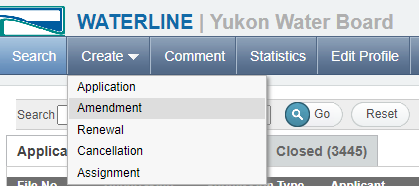
An amendment occurs when changes to the conditions of an existing water licence are proposed within the remaining term of the licence.
- Log into Waterline.
- Click on 'Create', then select 'Amendment'.
- Complete the form online.
- Click 'Print, Save & Continue'.
- Sign the printed form and upload to Waterline as Schedule 4.
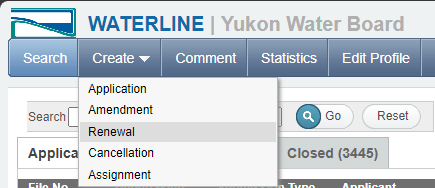
A renewal requires the submission of a complete application and is a request by a licensee for a continuation of existing water use rights, with or without changes to the conditions of an existing water licence.
- Log into Waterline.
- Click on 'Create', then select 'Renewal'.
- Complete the form online.
- Click 'Print, Save & Continue'.
- Sign the printed form and upload to Waterline as Schedule 4.
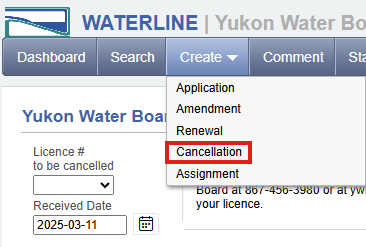
Cancellation: A water licence may be cancelled for many reasons, such as the use of water is no longer required, failure to follow the terms and conditions of the licence, or in the interest of the public. Cancellations may be initiated by the licensee, the public or the Board.
To cancel a licence:
- Log into Waterline.
- Click on 'Create', then select 'Cancellation'.
- Select the licence # to be cancelled from the drop-down list.
- Click 'Create'.
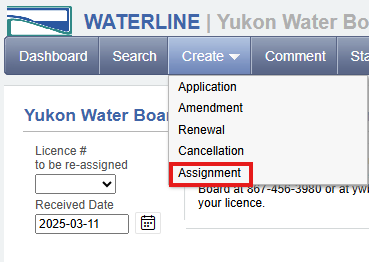
Assignment (transfer): Licencees submit an application to transfer ownership of an existing water licence. Upon transfer, the new owner (Assignee) assumes full responsibility for the terms and conditions of the water licence.
To apply for an assignment of licence:
- Log into Waterline.
- Click on 'Create', then select 'Assignment'.
- Select the licence # to be cancelled from the drop-down list.
- Click 'Create'.