Set Waterline preferences to receive email notifications
You may set preferences in Waterline to receive email notifications regarding:
- specific applications; and
- applications based on the type of undertaking, the stage of application and the geographic location.
Applicants will receive notifications regarding their submission automatically.
To start, create an account in Waterline, or log into your existing Waterline account.
Set notifications for specific undertakings:
Search for the undertaking you want to receive notifications about.
- Click on the 'File No.' of the undertaking of interest.
- On the 'Application Details' page, click on the 'Notifications' tab on the left hand menu.
- In the 'Additional Notification Settings' section, click on any stages for which you would like to receive notifications.
- Click 'Save'.
Set notifications based on other criteria:
- Click on the 'Edit Profile' tab located on the top menu.
- The 'Notification Profile' section is broken down into three steps; you must select something from each step.
- Complete the three steps as outlined below, and click 'Save' at the bottom of the page.
- At the bottom of the page there is a tool that will help you determine what notifications you will get based on your selection.
You can change your preferences at any time by revisiting these steps.
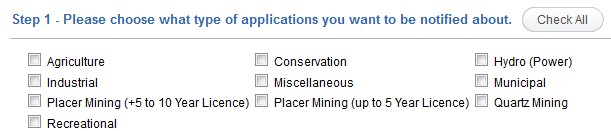
Step 1 allows you to choose notifications by work described in a licence (undertaking). Selecting a notification by undertaking will notify you on all water licences throughout the Yukon.
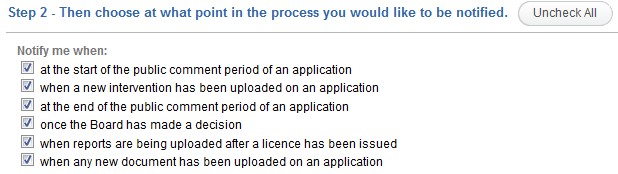
Step 2 allows you to choose notifications based on the different stages of the application.
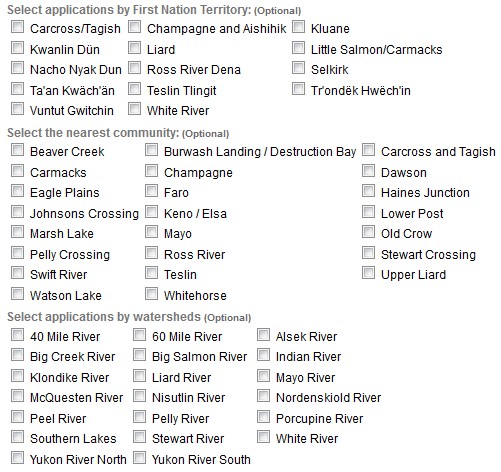
Step 3 allows you to choose criteria from a variety of geographic areas including: First Nation Traditional Territories, nearest community or watersheds.